
Data Agent Engine#
The Data Agent engine lets users explore and query data with natural language. It is a Kyuubi engine type (DATA_AGENT) that runs an LLM-driven ReAct agent. The agent reasons about the user’s request, calls a small set of SQL tools against a JDBC-accessible backend (Spark, Trino, MySQL, SQLite, …), and streams its responses to the bundled web UI.
This page covers how to configure the engine, how the web UI behaves at runtime, the approval / risk model that gates SQL tool execution, and a few deployment notes worth knowing.
At a glance#
Engine type:
DATA_AGENT, share level followskyuubi.engine.share.levellike every other engineLLM provider: any OpenAI-compatible chat-completion endpoint (OpenAI, Azure OpenAI, vLLM, llama.cpp, or any other provider that exposes the OpenAI chat-completion API)
Datasource: any JDBC URL the engine can reach. When unset, defaults to ZooKeeper service discovery for ZK-HA deployments, or
jdbc:kyuubi://<host>:<thrift-port>/defaultotherwiseTools (built in):
run_select_query(low-risk, read-only) andrun_mutation_query(high-risk, mutating). Per-dialect prompt templates ship for Spark / Trino / MySQL / SQLite / GenericInterface: the bundled Kyuubi web UI. Pick Data Agent from the left navigation after logging in
Quick start#
1. Configure the LLM provider#
Add the following to $KYUUBI_HOME/conf/kyuubi-defaults.conf:
kyuubi.engine.data.agent.provider OPENAI_COMPATIBLE

# OpenAI-compatible endpoint and credentials
kyuubi.engine.data.agent.openai.endpoint  https://api.openai.com/v1
kyuubi.engine.data.agent.openai.api.key   sk-xxxxxxxxxxxxxxxxxxxxxxxx
kyuubi.engine.data.agent.model            gpt-4o-mini
Substitute the endpoint, API key, and model ID for whichever OpenAI-compatible provider you use.
2. Start Kyuubi and open the UI#
$KYUUBI_HOME/bin/kyuubi start
Open http://<kyuubi-host>:10099/ui in a browser (the port comes from kyuubi.frontend.rest.bind.port, default 10099). Pick Data Agent in the left navigation.
3. Try it with the TPC-H demo dataset#
Kyuubi ships a Spark TPC-H connector that generates the standard TPC-H decision-support dataset on the fly — no external database needed. Add the following to $SPARK_HOME/conf/spark-defaults.conf (or $KYUUBI_HOME/conf/kyuubi-defaults.conf with the spark. prefix):
spark.sql.catalog.tpch=org.apache.kyuubi.spark.connector.tpch.TPCHCatalog
Make sure kyuubi-spark-connector-tpch-<version>_2.12.jar is on the Spark engine classpath (drop it into $SPARK_HOME/jars or set spark.jars).
4. Ask a question#
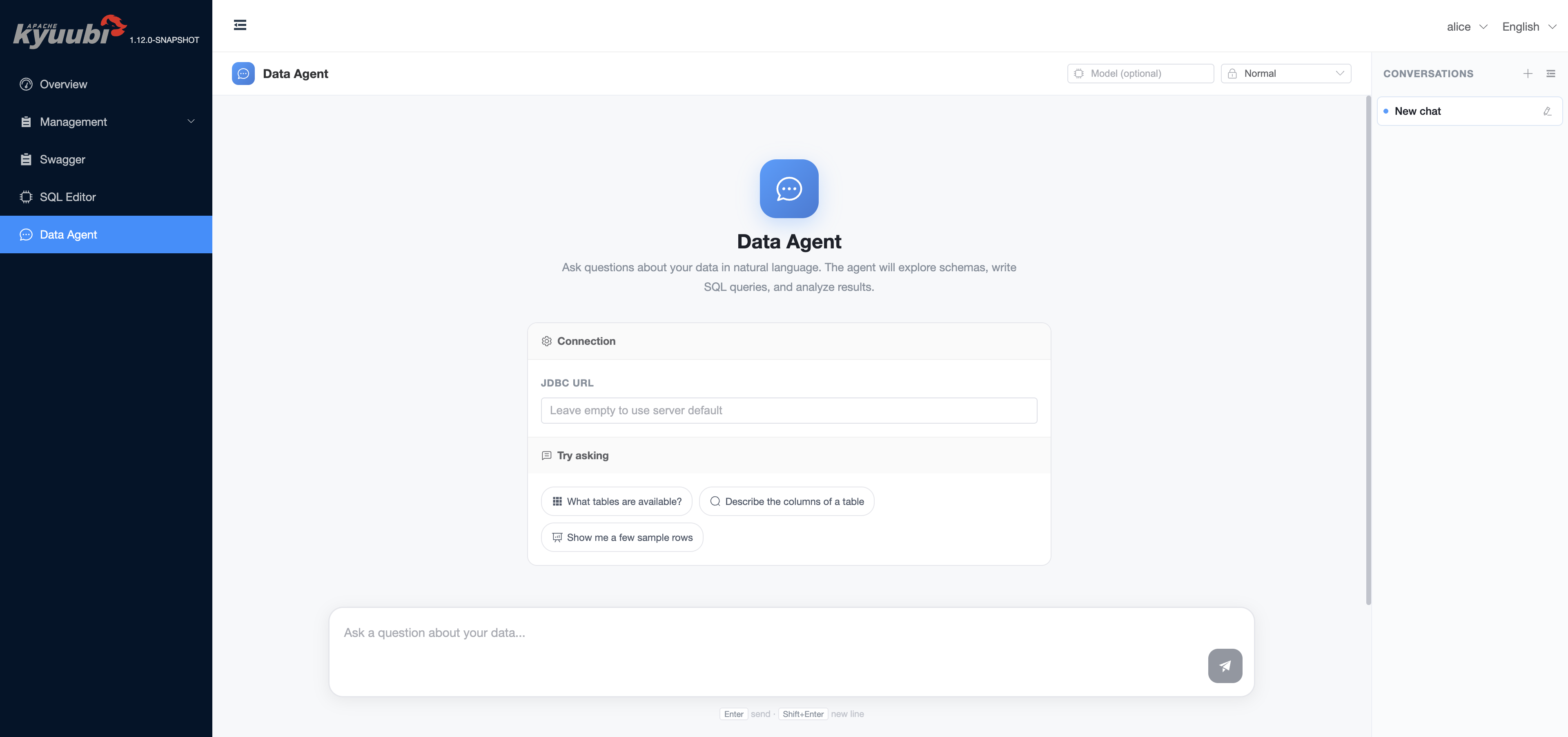
Leave the JDBC URL field empty to query the same Kyuubi cluster the UI is running on. Type a question into the input box and press Enter. With the TPC-H catalog registered above, make the demo prompt name the tpch.sf1 namespace explicitly so the agent explores the generated TPC-H catalog instead of the cluster’s default catalog:
“Use the TPC-H demo namespace
tpch.sf1. Show me the available tables and briefly describe what each table represents.”“Use
tpch.sf1. Who are the top 5 customers by total order value?”
Broad prompts such as “What databases are available?” enumerate the default Spark catalog and may show unrelated databases from the metastore. They are useful for cluster discovery, but they are not a TPC-H demo smoke test.
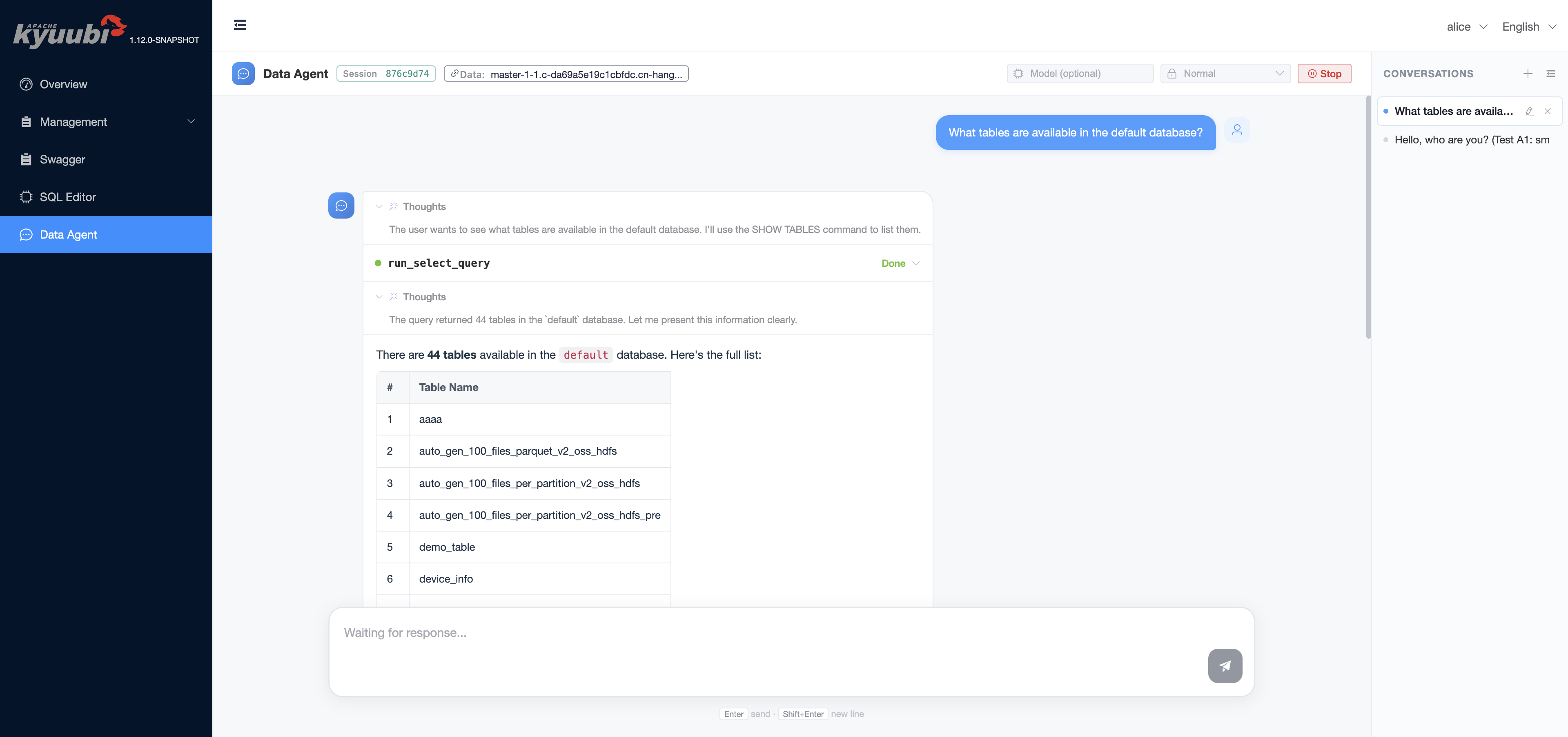
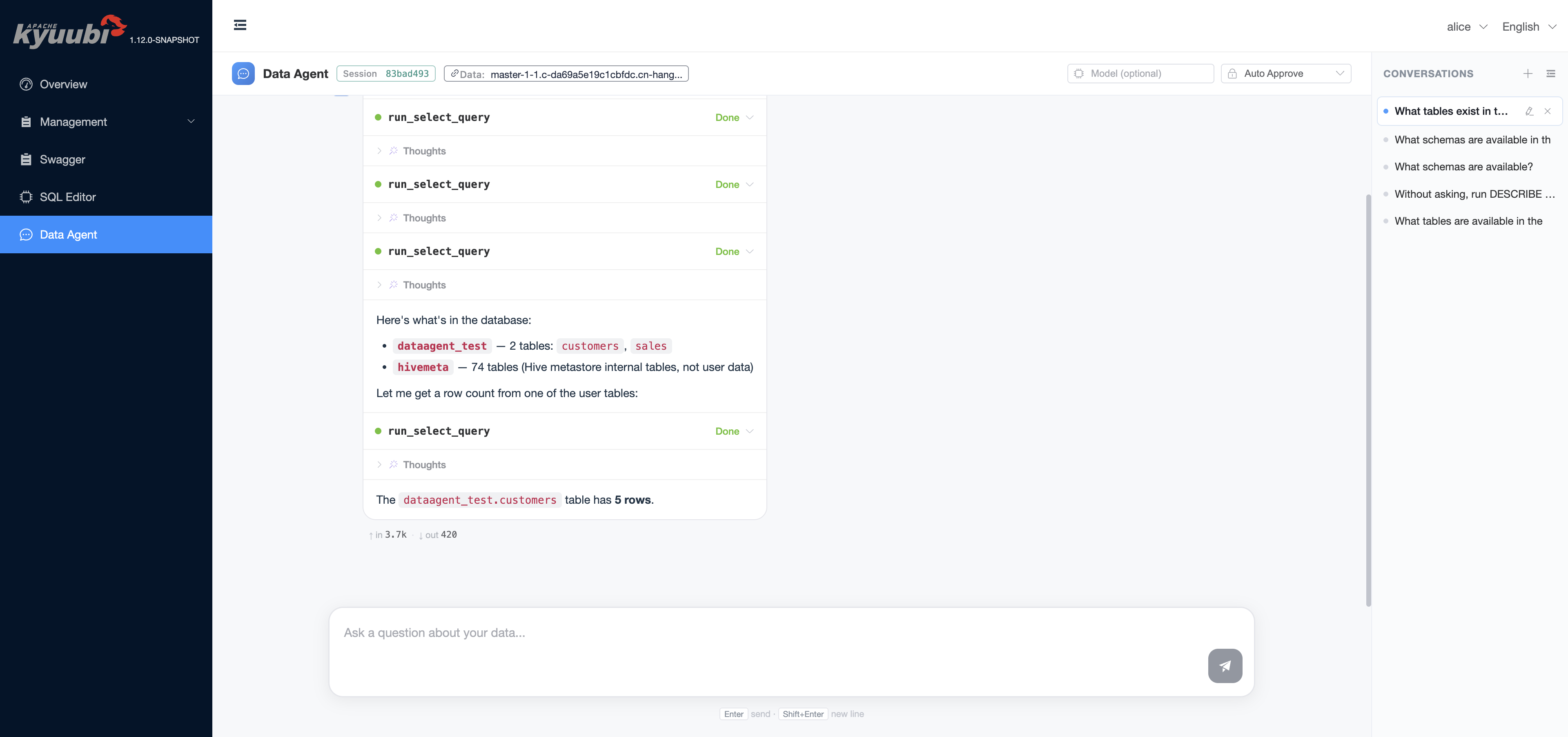
The agent reasons through the request, runs SQL on your behalf, and renders the result inline:
Configuration reference#
All keys live under kyuubi.engine.data.agent.*. They can be set in kyuubi-defaults.conf (cluster default) or, for the few that have a UI control, overridden per request from the chat header. Server-side defaults from the source of truth in org.apache.kyuubi.config.KyuubiConf:
| Key | Default | Purpose |
|---|---|---|
kyuubi.engine.data.agent.provider |
ECHO |
Set to OPENAI_COMPATIBLE to use any OpenAI-style chat-completion endpoint. |
kyuubi.engine.data.agent.model |
unset | Model ID. The UI Model input on the chat header overrides this for a single turn; leave it empty in the UI to fall back to this value. |
kyuubi.engine.data.agent.openai.endpoint |
unset | Base URL of the OpenAI-compatible chat-completion endpoint. |
kyuubi.engine.data.agent.openai.api.key |
unset | API key for that endpoint. Treat as a secret; see Security notes. |
kyuubi.engine.data.agent.jdbc.url |
unset | JDBC URL the agent should query. When unset, the engine falls back to the same Kyuubi cluster the UI is running on. The UI JDBC URL field on the welcome screen overrides this per session. Credentials embedded in the URL (e.g. ;user=...;password=...) are honoured and not overridden. |
kyuubi.engine.data.agent.approval.mode |
NORMAL |
Default approval policy: AUTO_APPROVE runs every tool without prompting, NORMAL only prompts before DESTRUCTIVE tools, STRICT prompts before every tool call. The UI dropdown on the chat header overrides this per turn. |
kyuubi.engine.data.agent.max.iterations |
100 |
Cap on ReAct loop steps for a single user turn. Hitting the cap surfaces a Reached maximum iterations (N) banner in the UI. |
kyuubi.engine.data.agent.compaction.trigger.tokens |
128000 |
When the predicted next prompt size (real previous prompt tokens + estimated new tail) exceeds this value, older conversation history is summarised into a single message. |
kyuubi.engine.data.agent.query.timeout |
PT3M |
Inner JDBC Statement.setQueryTimeout for SQL tools. Should be lower than tool.call.timeout so the backend has time to react before the outer cap fires. |
kyuubi.engine.data.agent.tool.call.timeout |
PT5M |
Outer wall-clock cap on every tool call, enforced by the agent runtime. |
kyuubi.engine.data.agent.memory |
1g |
Heap allocated to the engine JVM. |
kyuubi.engine.data.agent.java.options |
unset | Extra JVM options. |
kyuubi.engine.data.agent.extra.classpath |
unset | Extra classpath, e.g. for the LLM SDK or the JDBC driver of the target datasource. |
kyuubi.frontend.data.agent.operation.timeout |
PT2M |
Server-side timeout for engine launch and operation start. Surfaces as an error banner if exceeded. |
Approval and risk model#
Each built-in tool carries a static risk level. The runtime gates execution on the active approval mode:
| Tool | Risk | AUTO_APPROVE |
NORMAL (default) |
STRICT |
|---|---|---|---|---|
run_select_query |
SAFE |
runs immediately | runs immediately | prompts before every call |
run_mutation_query |
DESTRUCTIVE |
runs immediately | prompts before every call | prompts before every call |
When approval is required the agent pauses and renders an inline approval block in the chat. The block shows the tool name, its risk tag, and the structured arguments the model is about to send to the backend.
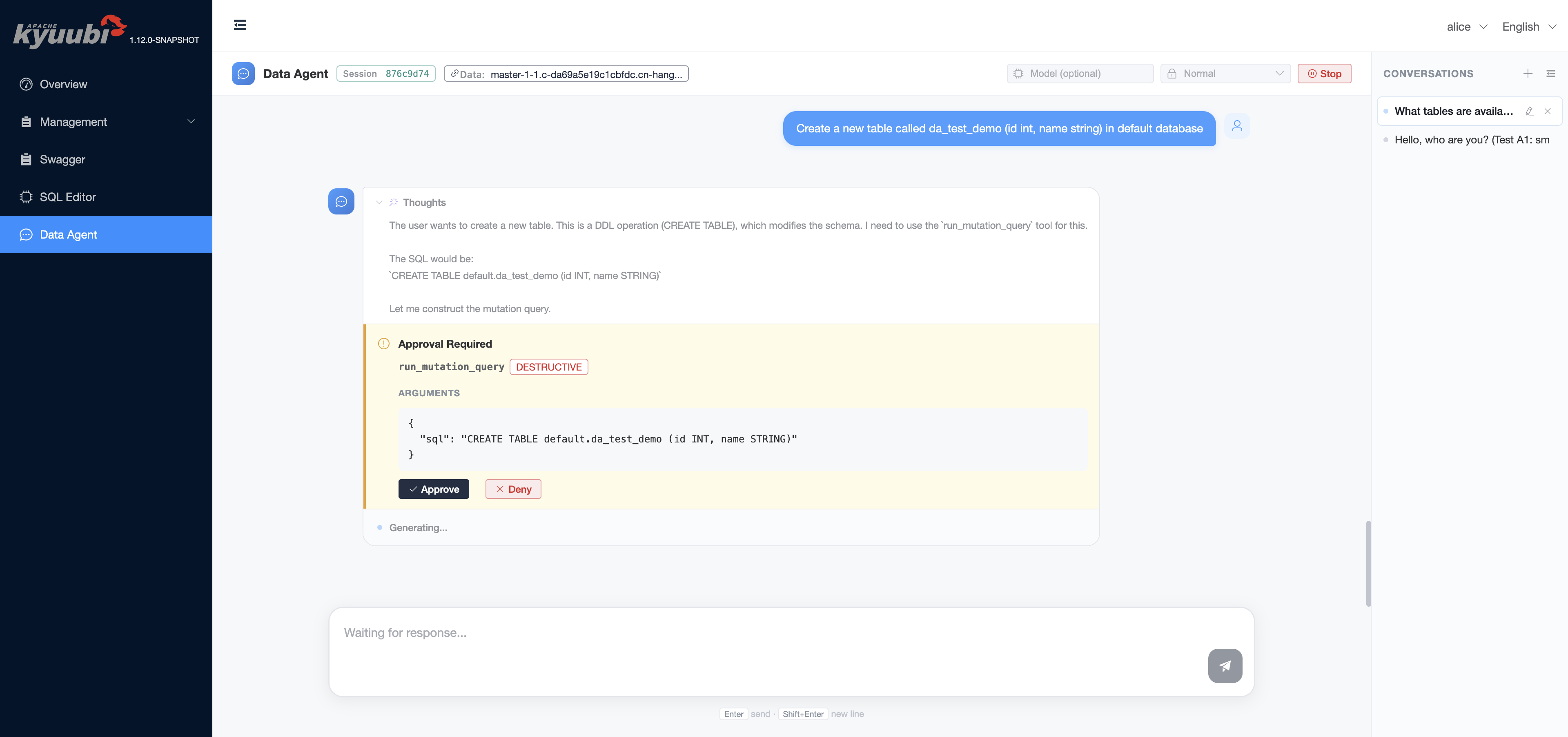
Under STRICT, even a read-only SELECT requires confirmation:
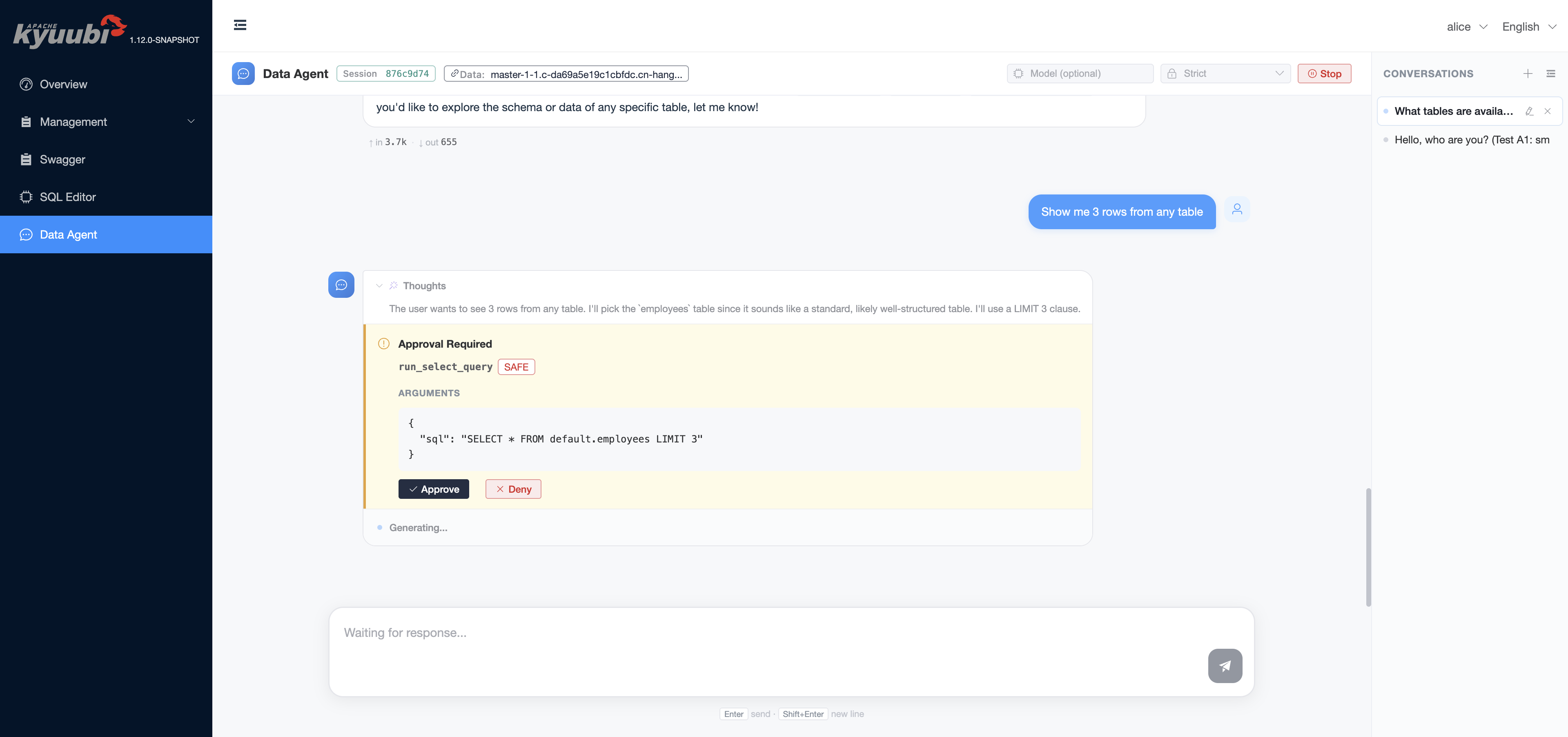
Pressing Approve lets the call run, returns the result to the model, and the loop continues. Pressing Deny records the rejection and lets the model react — typically the agent acknowledges the denial and asks the user how to proceed, rather than retrying the same call in a loop.
The approval mode dropdown on the chat header propagates per turn, so a user can keep NORMAL as the day-to-day default and switch to STRICT when running a query plan they are reviewing.
Web UI behaviour#
A few UI behaviours worth knowing:
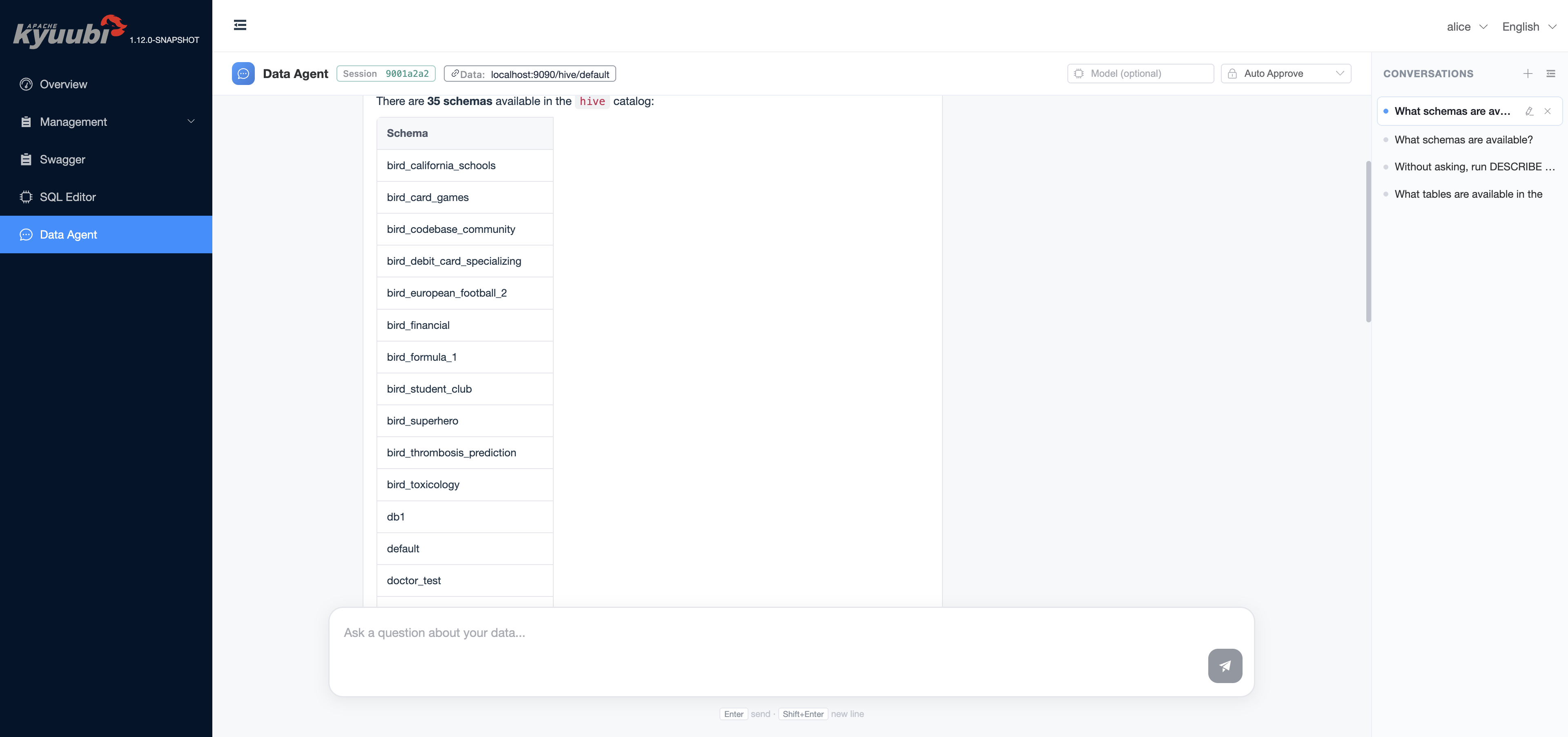
Multi-conversation. The right rail lists every active conversation. Each conversation owns its own session handle, JDBC URL, model override, approval mode, and message history. Switching conversations restores all four.
Session storage persistence. Per-session message history is mirrored in the browser
sessionStorageso a tab reload restores the conversation without a server round trip. Older messages are slimmed before persisting to keep the entry under the storage quota.Stop. While a response is streaming, the chat header shows a Stop button that aborts the current turn cleanly: any in-flight tool call is cancelled and the input bar re-enables.
Error banner. Engine and LLM errors render inline above the input bar with a dismiss
×. Engine-fatal errors additionally surface a Reset session button that drops the session handle and starts a fresh one.Datasource tag. The chat header shows either
Data: Server default(no JDBC URL configured) or the host portion of the configured JDBC URL with a tooltip carrying the full URL.
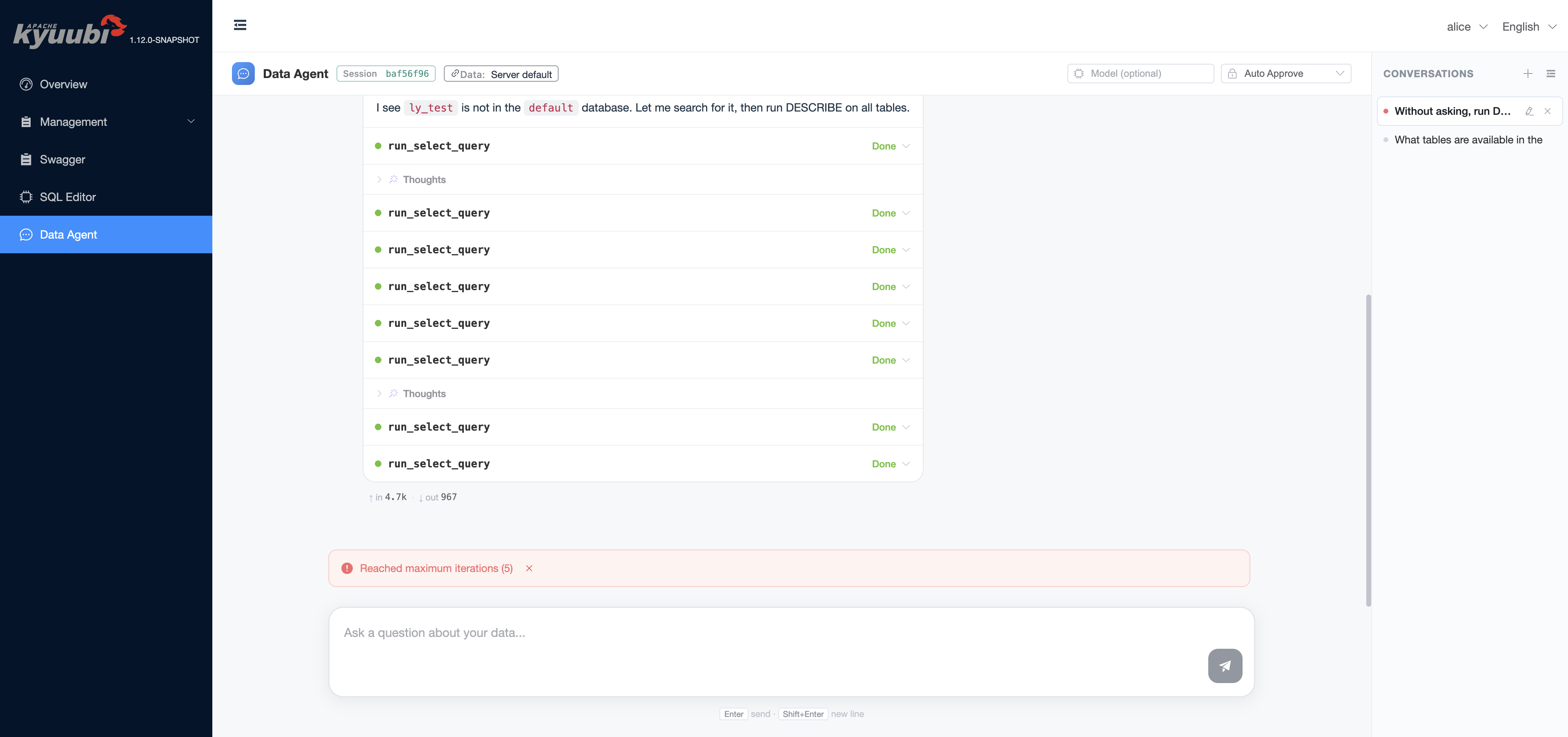
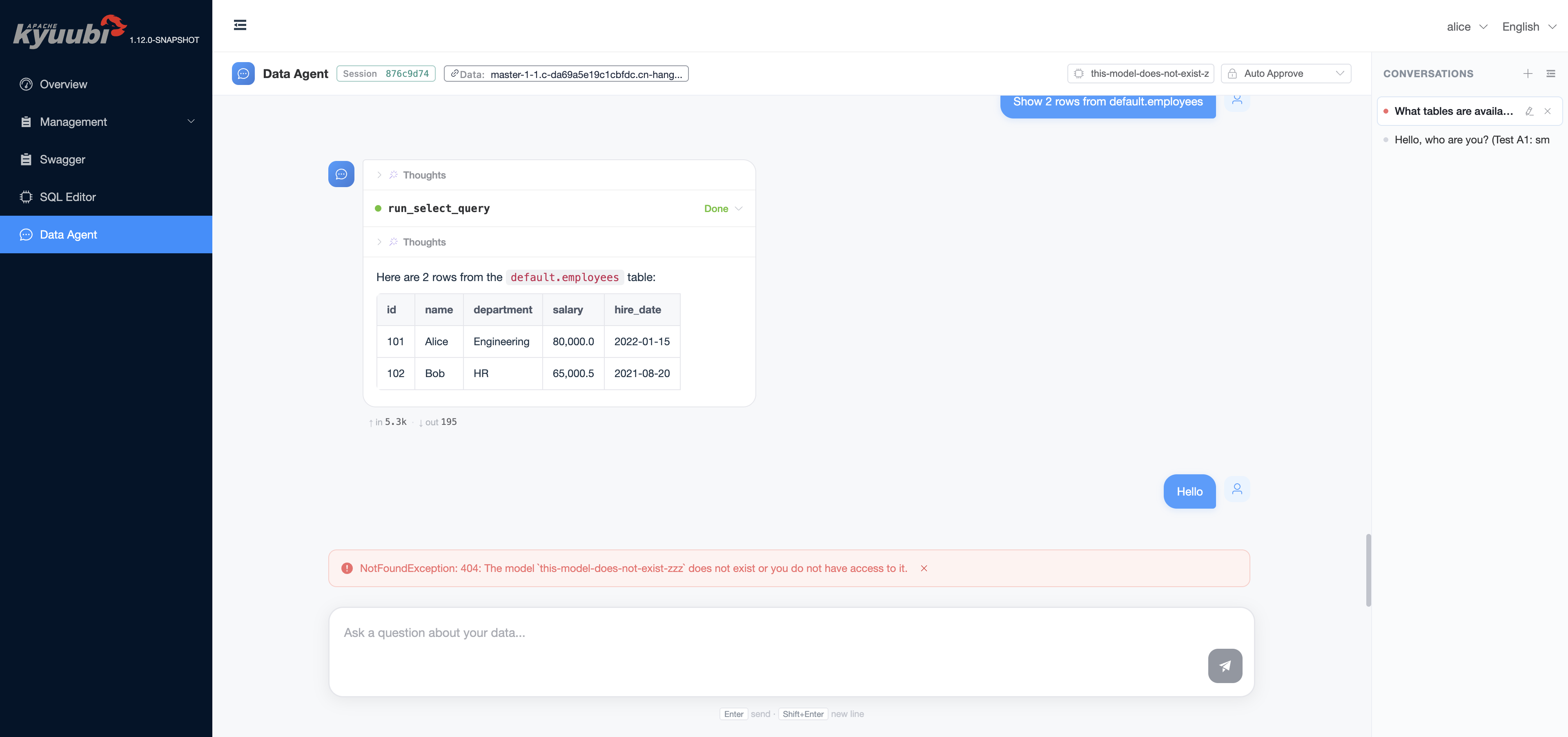
The engine surfaces hard-cap errors (max iterations reached, model not found, datasource unreachable) as the same kind of banner:
Datasources#
The agent attaches to one JDBC URL per session. Set it from any of:
The JDBC URL input on the welcome screen. The field is editable until the first message lands; once the session is bound it becomes read-only for the rest of that conversation.
kyuubi.engine.data.agent.jdbc.urlinkyuubi-defaults.confas the cluster default.Leave both empty to attach back to the same Kyuubi cluster — see the Connecting back to Kyuubi note below.
The dialect of the URL is auto-detected from the JDBC scheme and selects the matching SQL prompt fragment that ships with the engine. Out of the box: Spark/Hive, Trino, MySQL, SQLite, plus a Generic fallback. The Kyuubi/Hive, Trino, SQLite, and PostgreSQL JDBC drivers are bundled with the Data Agent engine; for any other dialect (e.g. MySQL), add the driver via kyuubi.engine.data.agent.extra.classpath (or copy the jar into $KYUUBI_HOME/externals/engines/data-agent/).
Configuring datasources#
Set the cluster default in kyuubi-defaults.conf, or paste the URL into the welcome-screen field per session.
Spark / Kyuubi (the same cluster the UI runs on)#
The default. Leave the JDBC URL empty and the engine connects back to this Kyuubi cluster. When Kyuubi has authentication enabled, see Connecting back to Kyuubi.
Spark / Kyuubi (a different cluster, or pinned host:port)#
kyuubi.engine.data.agent.jdbc.url jdbc:kyuubi://kyuubi-host:10009/default
Add ;user=...;password=... to the URL when the target cluster requires authentication.
Trino#
kyuubi.engine.data.agent.jdbc.url jdbc:trino://trino-coordinator:8080/hive/default?user=alice
For HTTPS / LDAP-secured Trino add ?SSL=true&user=...&password=... to the URL.
MySQL#
kyuubi.engine.data.agent.jdbc.url       jdbc:mysql://mysql-host:3306/your_db?user=root&password=...
kyuubi.engine.data.agent.extra.classpath /path/to/mysql-connector-java-8.x.jar
Drop the MySQL JDBC driver jar onto extra.classpath, or copy it directly into $KYUUBI_HOME/externals/engines/data-agent/.
SQLite (handy for local demos)#
kyuubi.engine.data.agent.jdbc.url jdbc:sqlite:/absolute/path/to/file.db
Generic JDBC#
Anything else with a JDBC driver works behind the Generic dialect — point the URL at it and add the driver via extra.classpath. The model loses the dialect-specific syntax hints but the SQL tools still execute through Statement exactly the same way.
Connecting back to Kyuubi#
When kyuubi.engine.data.agent.jdbc.url is unset, Kyuubi derives a default URL:
ZooKeeper HA (
kyuubi.ha.addressesset with the defaultZookeeperDiscoveryClient): use ZK service discovery against the configured addresses.Other deployments (single-node, or HA with non-ZooKeeper discovery such as etcd): produce
jdbc:kyuubi://<host>:<kyuubi.frontend.thrift.binary.bind.port>/default, where<host>is resolved fromkyuubi.frontend.advertised.host, thenkyuubi.frontend.thrift.binary.bind.host, and finally the machine’s local IP address.
If the Data Agent engine runs in a different network namespace from the Kyuubi server, or the derived host is not reachable from the engine, set kyuubi.engine.data.agent.jdbc.url (or the welcome-screen field) explicitly.
This works out of the box when the Kyuubi server is configured with kyuubi.authentication=NONE. It does not work when LDAP authentication is enabled, because the engine’s JDBC connection carries the user identity (e.g. alice) but no password, and Kyuubi’s LDAP provider rejects the empty bind with LDAP error code 49. In an authenticated deployment, embed credentials in the JDBC URL instead:
jdbc:kyuubi://kyuubi-host:10009/default;user=alice;password=...
Kerberos is not supported yet. The engine performs no Kerberos login of its own, so it would reuse the Kyuubi server’s ambient proxy super-user credentials and could impersonate arbitrary users. Kyuubi therefore rejects both auto-derivation and explicitly Kerberized JDBC URLs under KERBEROS authentication. Full support (the engine logging in with its own principal/keytab and proxying the session user) is left for a follow-up; for now point the Data Agent at a non-Kerberos datasource.
Operating notes#
Engine lifecycle#
The Data Agent engine respects kyuubi.engine.share.level, kyuubi.session.engine.idle.timeout, and the rest of the standard engine lifecycle knobs, with one Data-Agent-specific addition: a Data Agent engine is bound to a single JDBC datasource, so the engine subdomain is automatically derived from the configured kyuubi.engine.data.agent.jdbc.url. With the default USER share level this means engines are keyed by (user, JDBC URL) — two sessions targeting the same datasource as the same user reuse one engine, and a session pointing at a different JDBC URL gets its own engine.
Logs#
Per-engine stdout/stderr lands under $KYUUBI_LOG_DIR/work/<user>/kyuubi-data-agent-engine.log.0.
Security notes#
The engine launch command logged by the server has
kyuubi.engine.data.agent.openai.api.keyandkyuubi.engine.data.agent.jdbc.urlredacted. Other places where these values may surface (for example session events, orspark.-prefixed variants rendered into other engine launch events) are not redacted unless you setkyuubi.server.redaction.regexto cover them — there is no default regex.The chat history (including SQL produced by the model and any data the model read) is held server-side for the lifetime of the session and is mirrored into the browser’s
sessionStorage. Treat the Data Agent UI as a tool with the same access scope as the configured JDBC URL.